


GLM
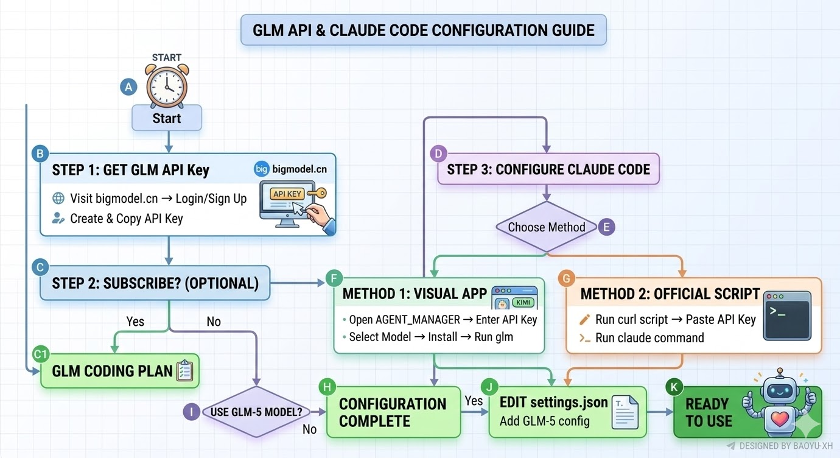
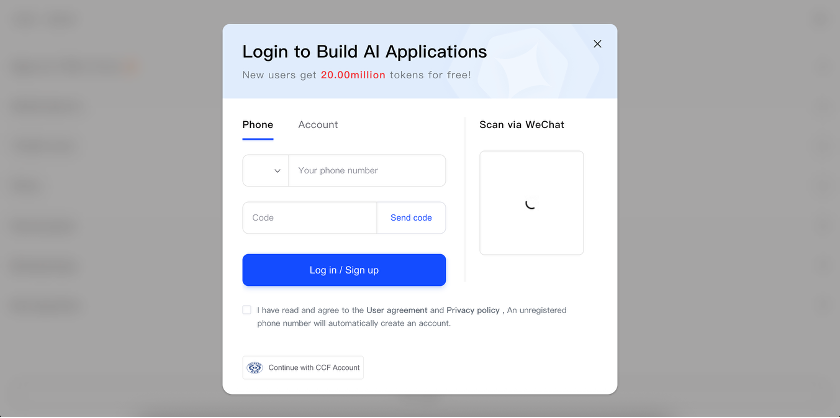
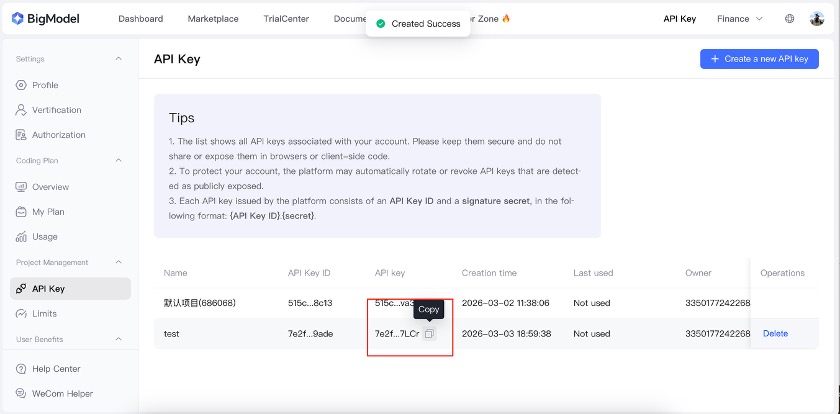
Go to https://bigmodel.cn/usercenter/proj-mgmt/apikeys and log in or sign up.
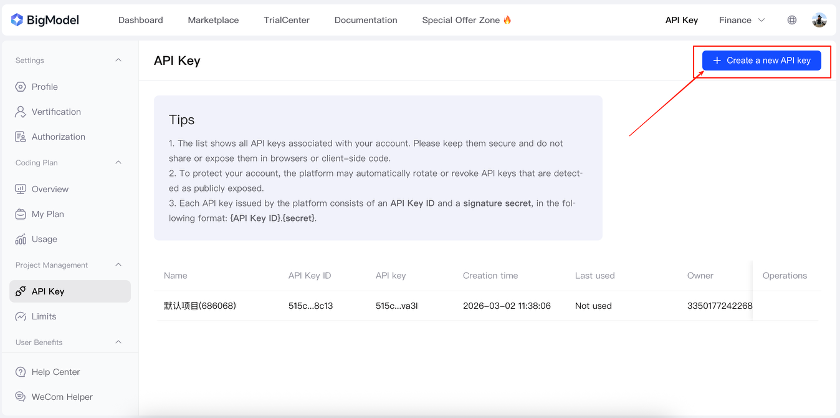
Click Create a new API Key to create a new API key.
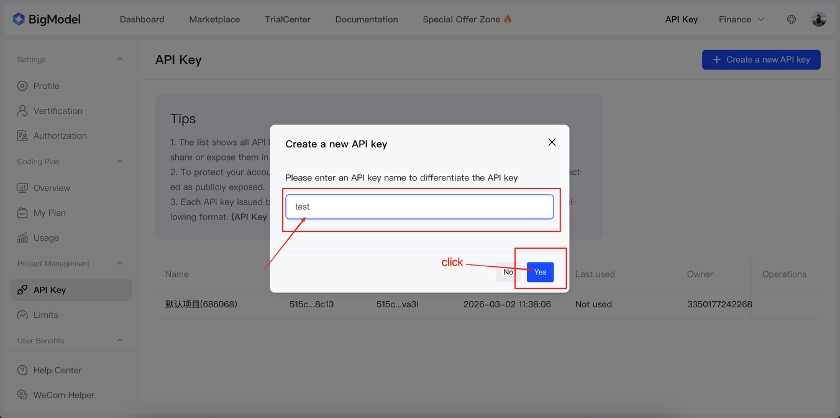
Enter a name for the API key, then click Yes.
Click Copy to copy the API key.
Step 2: Subscribe to GLM (Optional)
GLM
Subscribing to GLM increases your Claude Code usage quota and gives you access to GLM’s latest model, GLM-5. However, GLM currently limits the number of available subscriptions, so getting one may be difficult. You can still try other GLM models using the free quota (as of March 9, 2026). Detailed subscription steps have been moved to the appendix GLM Coding Plan, so you can skip this section for now and continue with API key setup.
Step 3: Configure Claude Code with GLM
Claude CodeGLM
Method 1: Configure via the visual app
APP
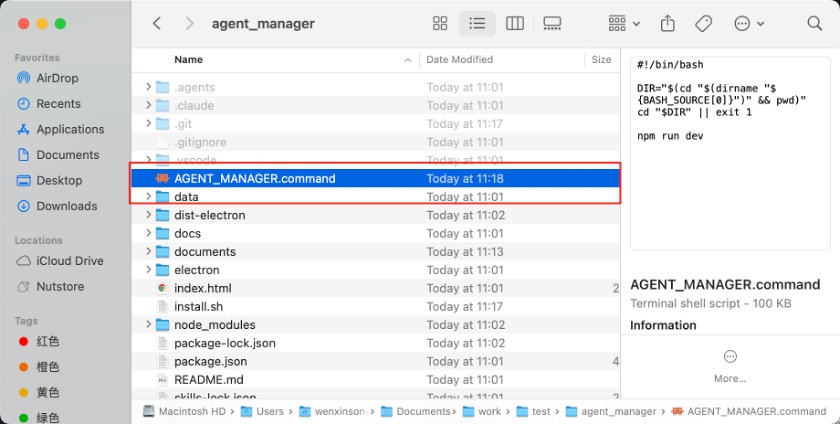
After installing the app, double-click AGENT_MANAGER.command to open it.
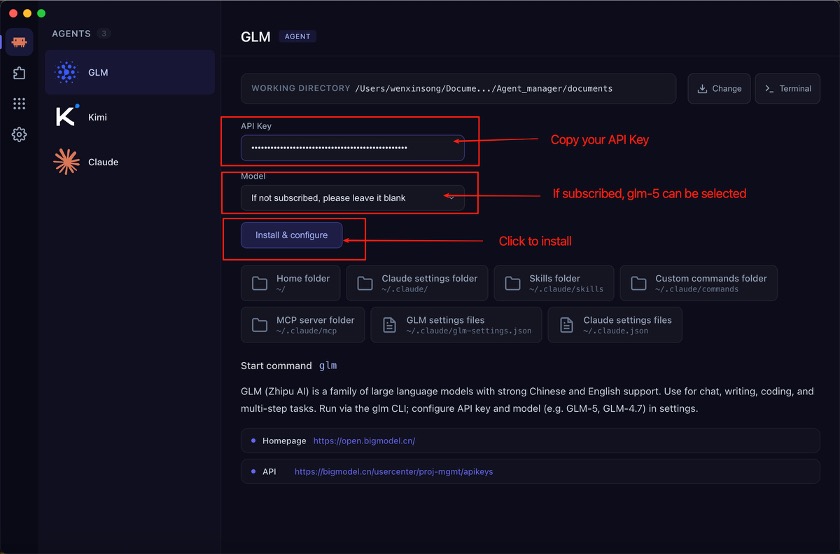
Enter your API Key, select the Model, and then click Install & configure. Please refer to Step 1 if you still need to create an API key.
Note: If you have not subscribed to GLM, do not select the glm-5 model, or Claude Code may not work correctly.
When the interface shows that GLM is configured successfully, the setup is complete.
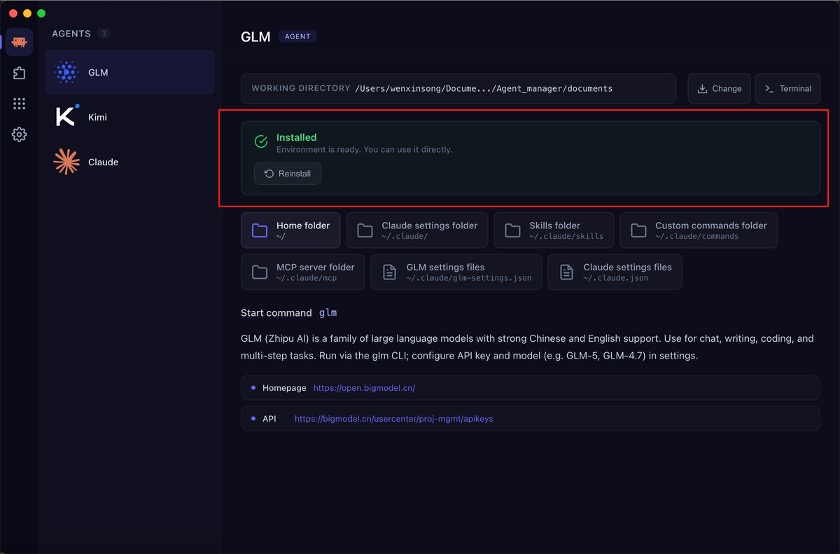
After configuration, you can run the glm command in the terminal to launch Claude Code with GLM.
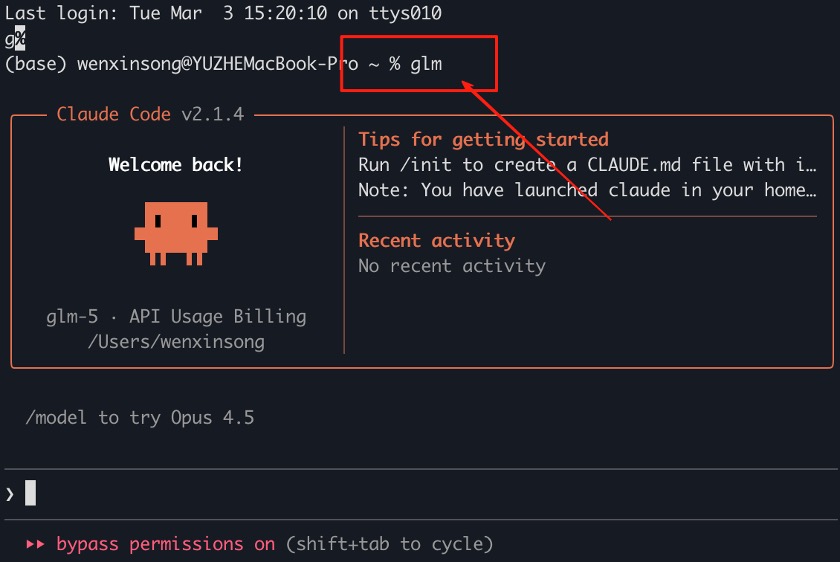
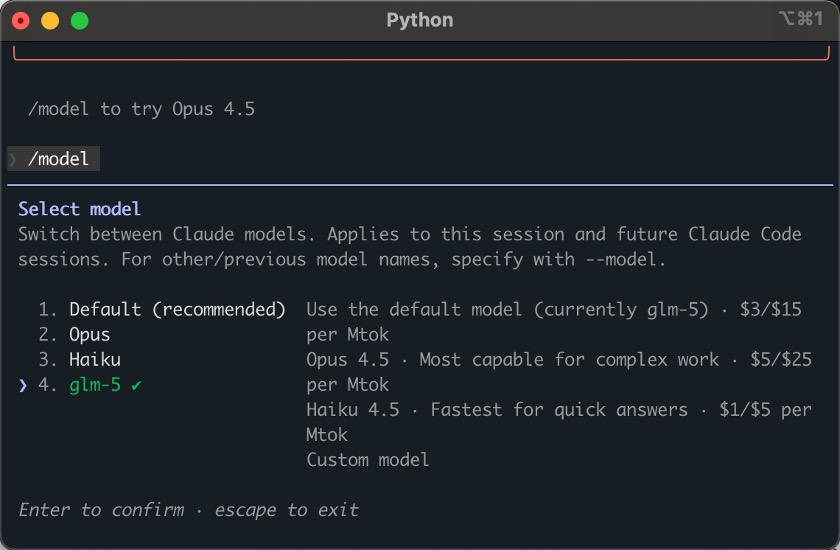
Restart Claude Code and run /model to confirm that GLM-5 is available.
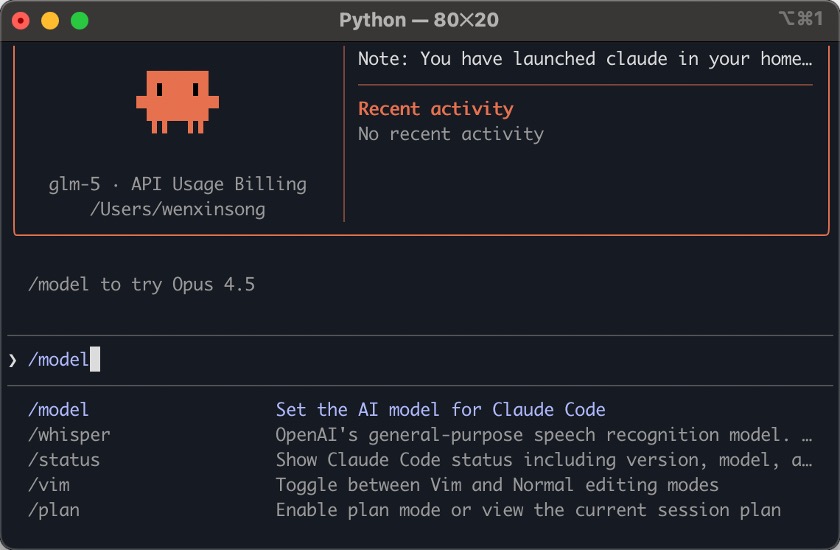
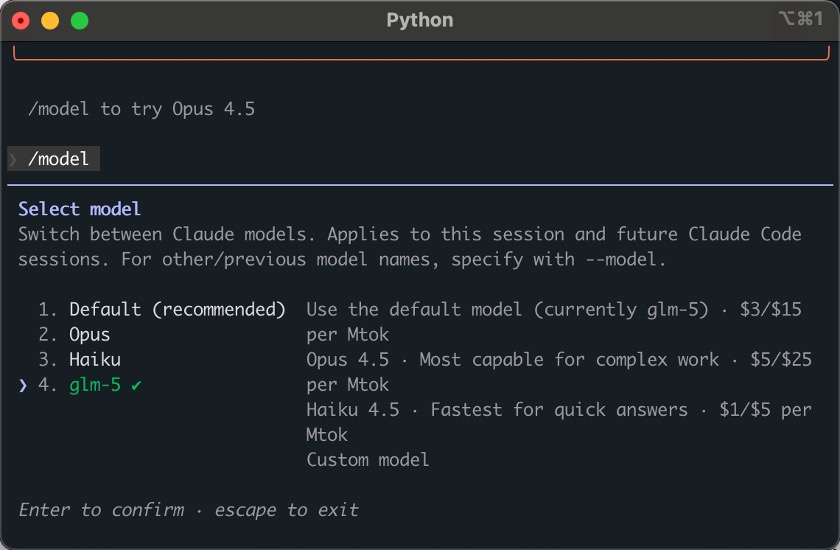
You should see that the GLM-5 model is now enabled.
Note: GLM-5 is a larger model, comparable to Claude Opus. Use it for complex tasks; for routine tasks, GLM-4.7 can save quota. “Peak hours” are 14:00–18:00 (UTC+8) and may affect availability or rate limits.
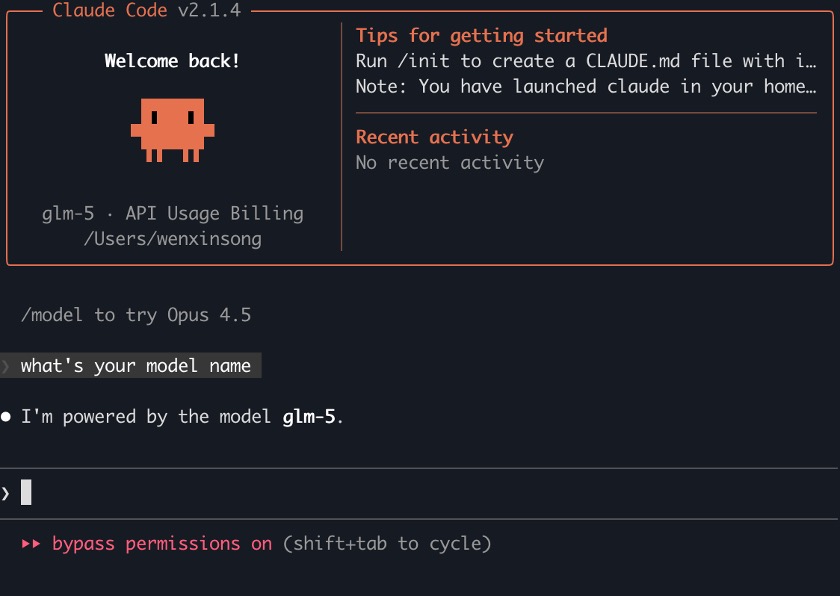
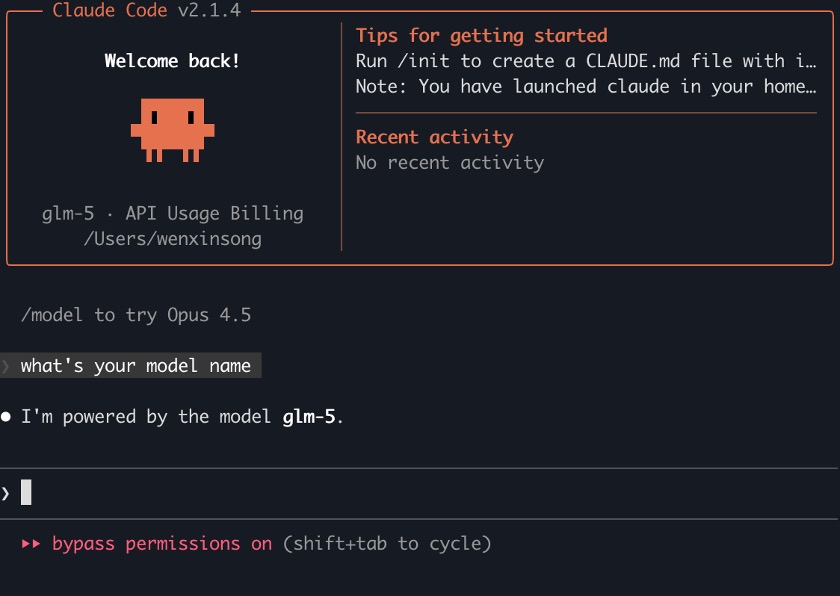
You can also directly ask the agent which model it is using. As shown below, it is the GLM-5 model.
Method 2: Install via the official GLM script
GLM
GLM provides a one-click install script. This method modifies Claude Code’s config directly, so switching to another API provider later is less convenient, and you may need to add or switch models manually. The advantage is a quick one-step setup, and usage is similar to the default Claude Code.
Press Option + Space to open search, type Terminal, and press Enter to open Terminal.
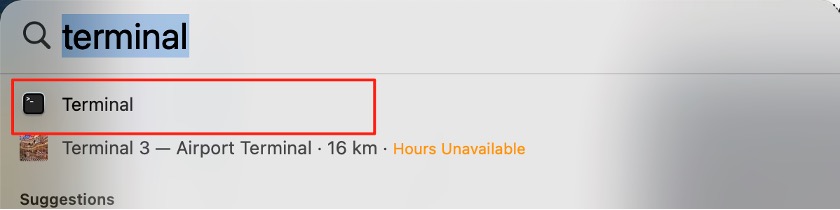
Copy the following command into the terminal and press Enter.
curl -O "https://cdn.bigmodel.cn/install/claude_code_env.sh" && bash ./claude_code_env.sh
Command explanation:
curl -O: Downloads a file from the given URL.
bash: Runs a shell script. This command downloads the script and then runs it.
curl -O
bash

When prompted, paste your GLM API key and press Enter. Please refer to Step 1 if you still need to create an API key.
Note: Pasted input may not be visible in the terminal; avoid pasting multiple times.
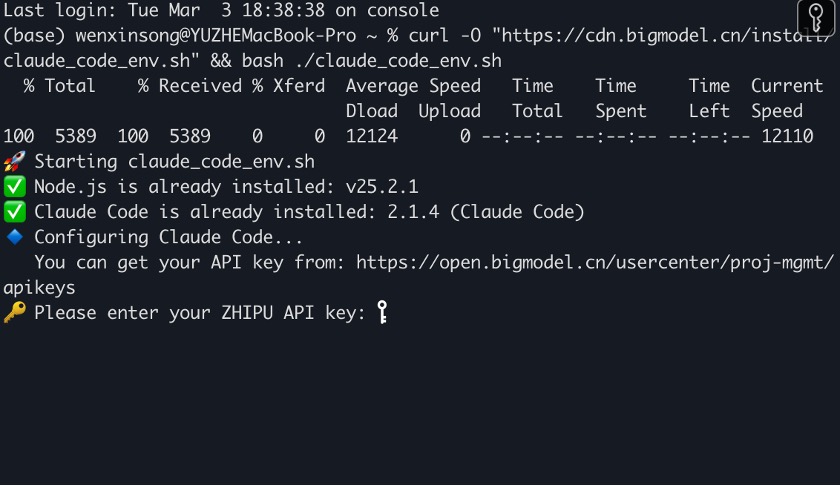
When the terminal prompt returns, the script has finished.
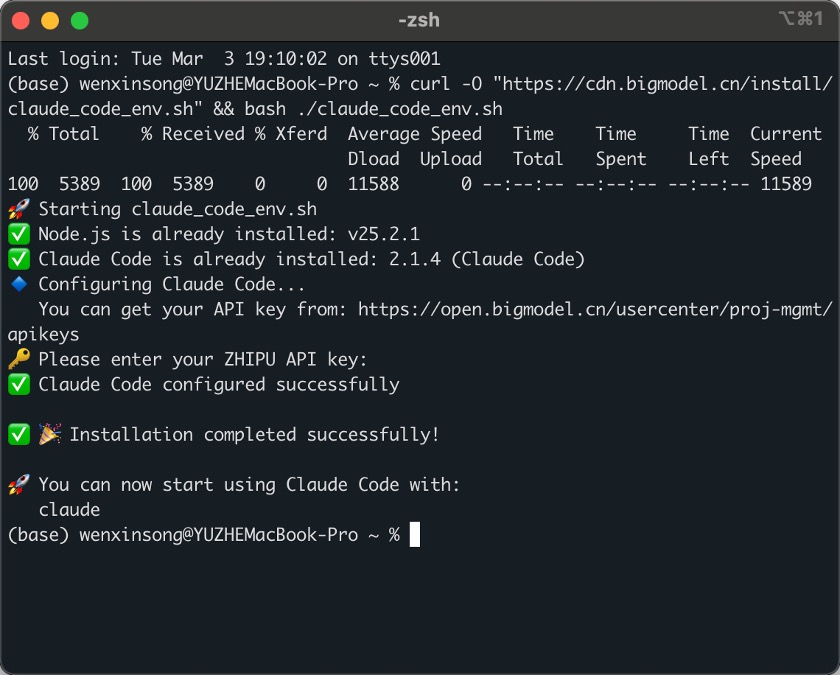
Run claude in the terminal to start Claude Code with GLM.
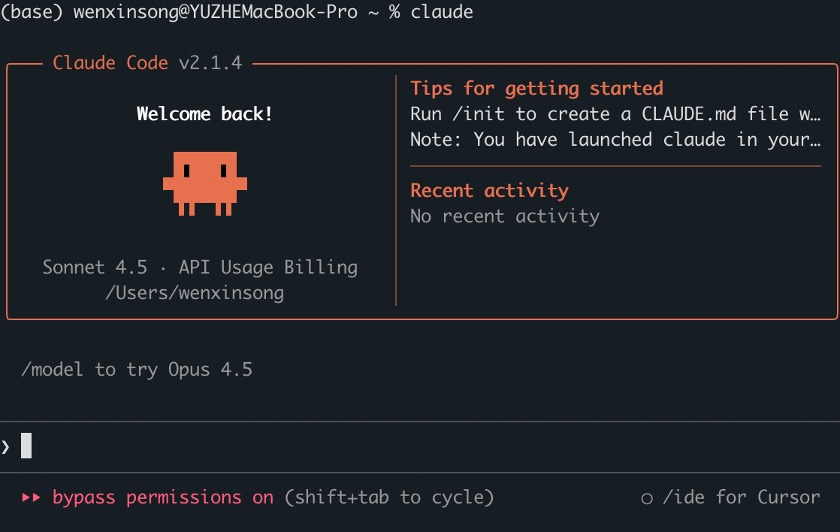
Using the GLM-5 model (optional)
GLM-5
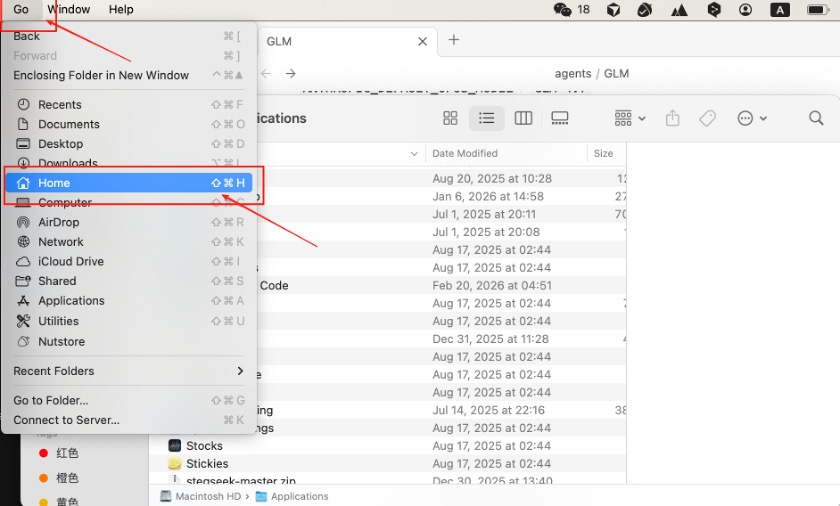
If you have subscribed to GLM, you can use the GLM-5 model by editing the config. Go to Go → Home to open your Home directory.
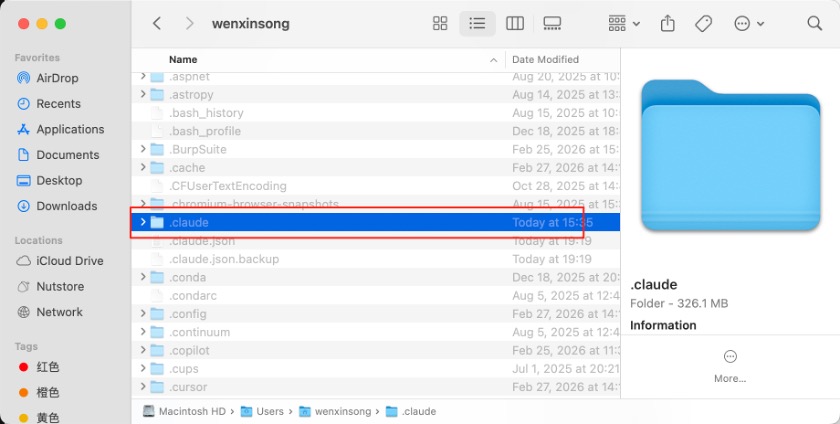
Press Command + Shift + . to show hidden files, then open the .claude folder.
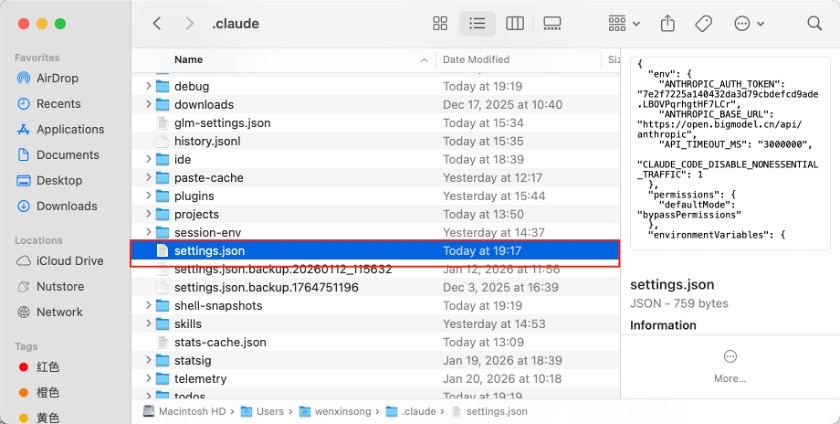
Open settings.json and edit it.
Claude Code’s internal model variables map to GLM models. The default mapping is: Claude Code GLM
- ANTHROPIC_DEFAULT_OPUS_MODEL: GLM-4.7
- ANTHROPIC_DEFAULT_SONNET_MODEL: GLM-4.7
- ANTHROPIC_DEFAULT_HAIKU_MODEL: GLM-4.5-Air
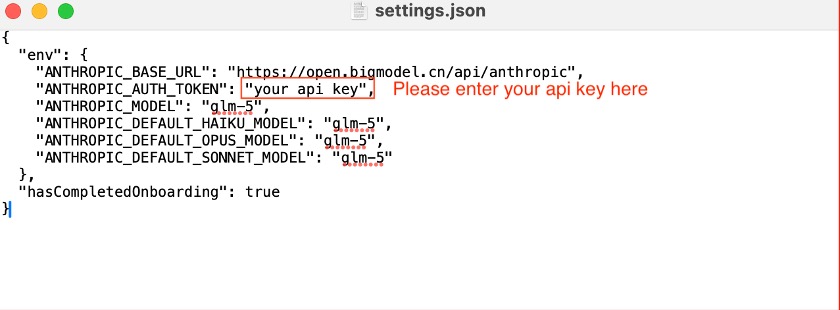
Replace the contents of settings.json with the configuration below (use your real API key and ensure glm-5 is only used if you have a GLM-5 subscription).
{
"env": {
"ANTHROPIC_BASE_URL": "https://open.bigmodel.cn/api/anthropic",
"ANTHROPIC_AUTH_TOKEN": "your api key",
"ANTHROPIC_MODEL": "glm-5",
"ANTHROPIC_DEFAULT_HAIKU_MODEL": "glm-5",
"ANTHROPIC_DEFAULT_OPUS_MODEL": "glm-5",
"ANTHROPIC_DEFAULT_SONNET_MODEL": "glm-5"
},
"hasCompletedOnboarding": true
}
Save the file.
Restart Claude Code and run /model to confirm that GLM-5 is available.
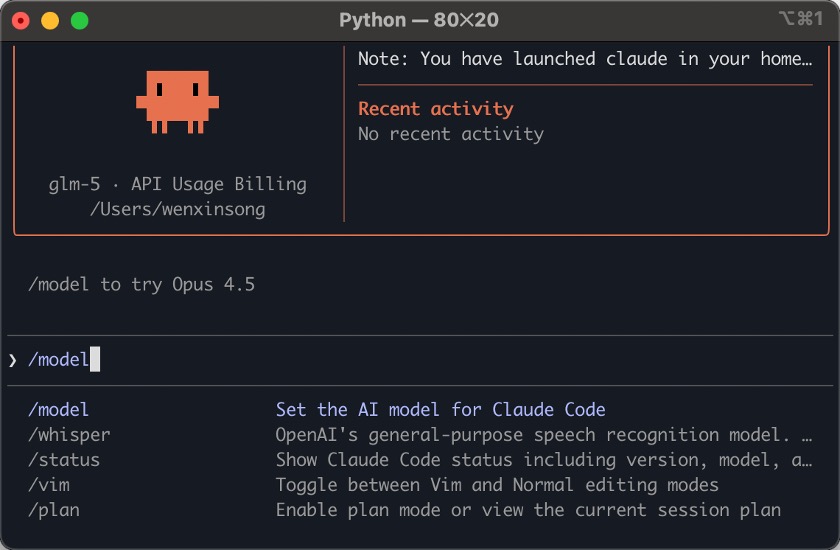
You should see that the GLM-5 model is now enabled.
Note: GLM-5 is a larger model, comparable to Claude Opus. Use it for complex tasks; for routine tasks, GLM-4.7 can save quota. “Peak hours” are 14:00–18:00 (UTC+8) and may affect availability or rate limits.
You can also directly ask the agent which model it is using. As shown below, it is the glm-5 model.
Appendix
GLM Coding Plan
Click My Plan () to open the subscription page.
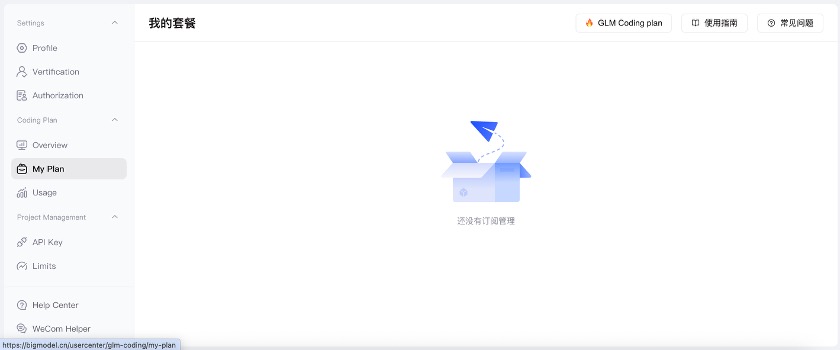
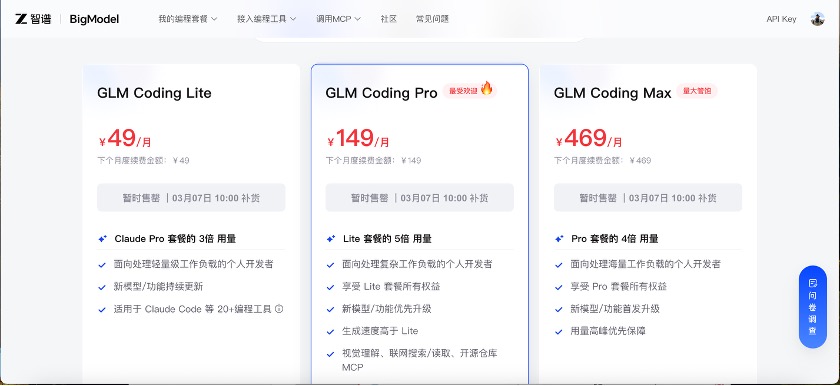
Click GLM Coding plan to open the subscription options.
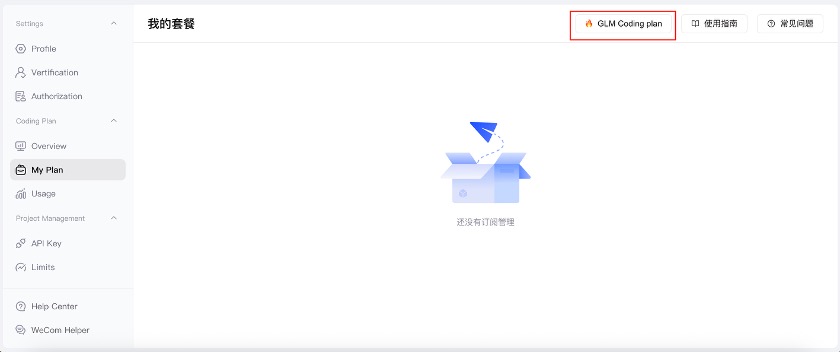
You can subscribe to a GLM plan on this page. Without a subscription, a limited free quota is available, but the GLM-5 model cannot be used.
From | Tricontinental: Institute for Social Research via This RSS Feed.